
How to display numbers for Google search results?
I’ve been wondering about this for a while, searching for a Firefox plugin or an option in Google settings, but found nothing…
Finally, to display numbers in the SERPs (Search Engine Result Pages), I created a Bookmarklet that adds a CSS counter to the Google result page.
Here’s the CSS added by the bookmarklet :
body{
counter-reset: resultat;
}
div.g::before{
font-size: 30px;
counter-increment: resultat;
content: counter(resultat) ".";
}
But what’s a Bookmarklet ?
It’s a Firefox Bookmark (a favorite) that executes JavaScript.
How to use the Bookmarklet :
- Drag this link to your Firefox bookmarks bar: Show numbers on Google
or
Copy the code below into the URL of a new bookmark :
javascript:(function(){%20var%20style%20=%20document.createElement(%27style%27),%20styleContent%20=%20document.createTextNode(%27body{%20counter-reset:%20resultat%20!important;%20}%20div.g::before{%20counter-increment:%20resultat%20!important;%20content:%20counter(resultat)%20\%22.\%22%20!important;%20}%20%27);%20style.appendChild(styleContent%20);%20var%20caput%20=%20document.getElementsByTagName(%27head%27);%20caput[0].appendChild(style);%20})();
- Perform a search on Google
- Click on the bookmark you just added… and there you go! You should see this :
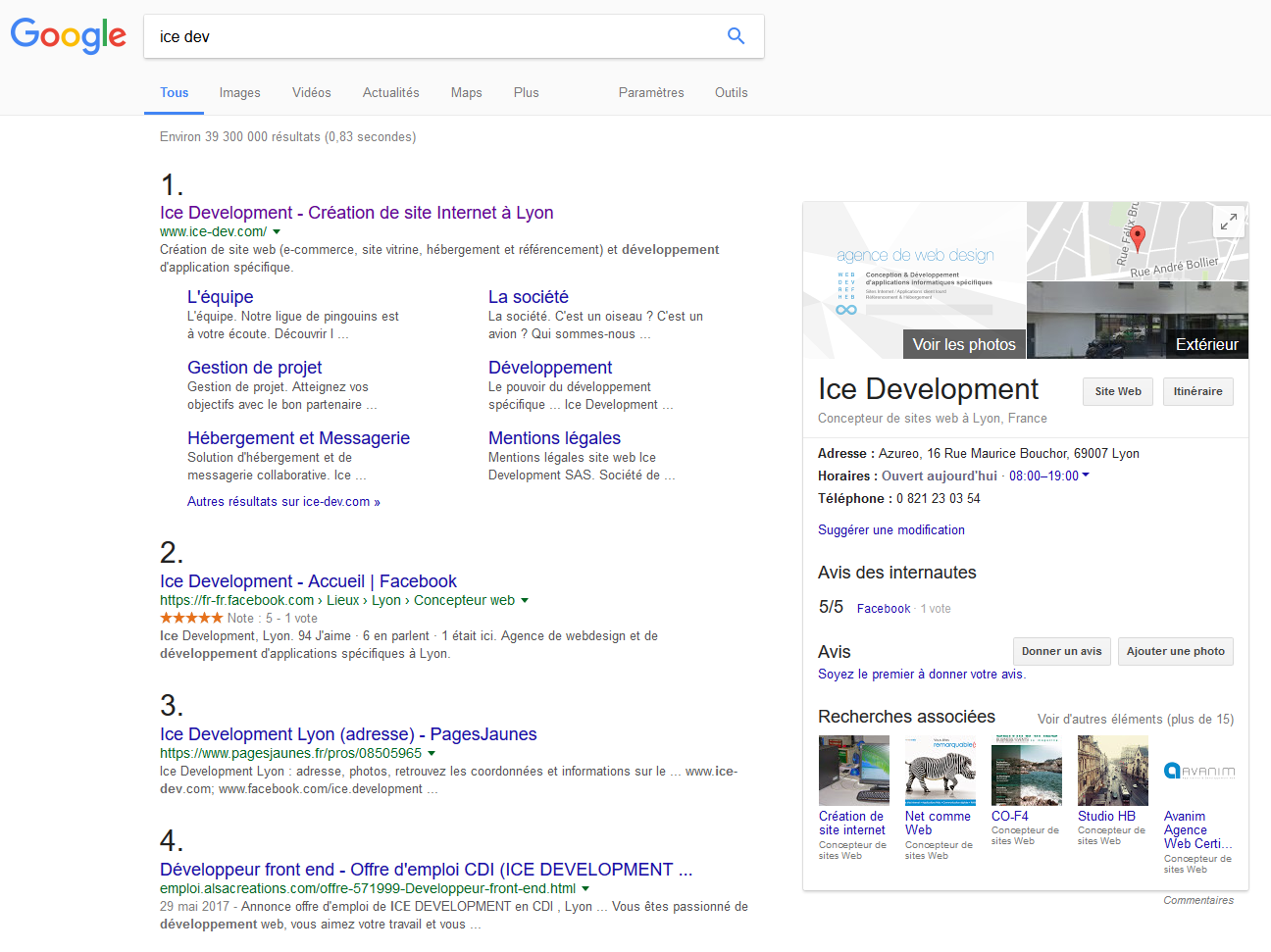
Bookmarklet that adds numbers in the SERPs
javascript:(function(){%20var%20style%20=%20document.createElement(%27style%27),%20styleContent%20=%20document.createTextNode(%27body{%20counter-reset:%20resultat%20!important;%20}%20div.g::before{%20counter-increment:%20resultat%20!important;%20content:%20counter(resultat)%20\%22.\%22%20!important;%20}%20%27);%20style.appendChild(styleContent%20);%20var%20caput%20=%20document.getElementsByTagName(%27head%27);%20caput[0].appendChild(style);%20})();