
On WordPress, images uploaded to the media library each have a reference page called the “attachment file page” containing only that image.
This page is created automatically by WordPress, so you may end up with a long list of indexed pages whose usefulness is highly questionable, which is why I propose a solution to delete these pages.
Here’s a simple solution to delete these unwanted pages.
Create an image.php page in your child theme and paste the following code into it:
<?php
// à mettre dans /wp-content/themes/mon_theme-child/image.php
global $post;
if ( $post && $post->post_parent ) {
wp_redirect( get_permalink( $post->post_parent ), 301 );
exit;
} else {
wp_redirect( home_url( '/' ), 301 );
exit;
}
If you do not want to remove access to these pages but simply prevent their indexing, the Yoast SEO plugin allows you to add a meta noindex on these pages.
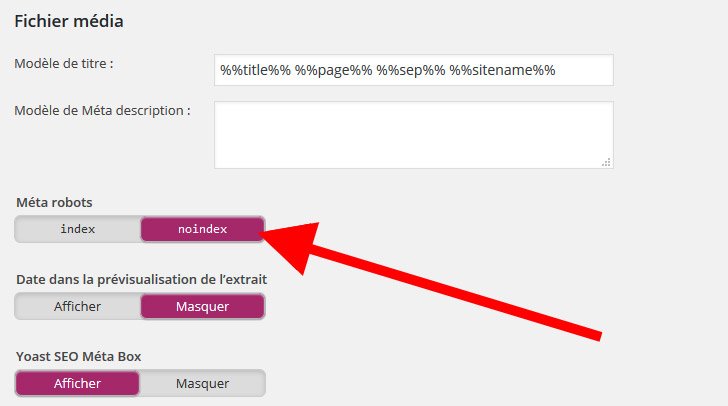
Yoast Seo / Titles and Metas